
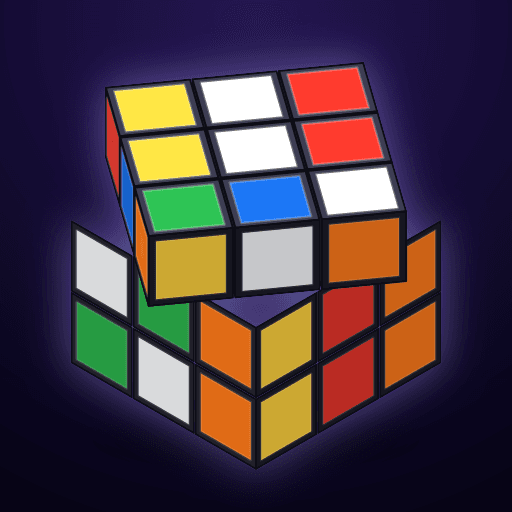
Rubik's Cube 3D
Rubik's Cube 3DRubik's Cube 3D
- Developer
- Pokky Game
- Publisher
- Pokky Game
- Platform
- Web browser
- Price
- Free
About This Game
Drag a face to turn it, drag beside the cube to spin it. Four sizes.
The cube itself, in three dimensions, turned with your finger. Press on a sticker and pull across the face and that layer turns the way you dragged it; press beside the cube and drag to spin the whole thing round and see the back.
Four sizes to take on: the 2x2 pocket cube, the classic 3x3, the 4x4 revenge and the 5x5 professor, each scrambled properly - never a turn that simply undoes the one before, and never three turns of the same axis in a row, so what you are handed is as tangled as the move count suggests. A clock and a move counter run while you work, and your quickest solve at each size is kept.
Take a turn back whenever you want one, or unwind every turn to the beginning if a cube has got away from you. For the keyboard there is the standard notation: U D L R F B, with shift for the other direction.
How to Play Rubik's Cube 3D
- Drag across a sticker
- Turns the layer under your finger, the way you pull.
- Drag beside the cube
- Spins the whole cube so you can see the back.
- U D L R F B
- Turns the up, down, left, right, front or back face.
- Shift and a letter
- Turns that face the other way.
- Z
- Takes the last turn back.
- Learn
- Opens the seven steps, each with the moves for it.
- Hint, or H
- Lights up the layer to turn, and arrows the way.
- Reset view
- Puts the cube back to the angle it started at.
Rules
- Four sizes: the 2×2 pocket cube, the 3×3, the 4×4 and the 5×5. Each is solved when all six faces are a single colour.
- A scramble never contains a turn that simply undoes the one before it, and never three turns of the same axis in a row, so the cube is as tangled as the number of moves suggests.
- One drag turns one layer. The layer is the one holding the sticker you pressed on, so the middle slices are turned by grabbing a middle piece.
- Spinning the cube to look at it costs nothing. Only turns of a layer are counted, and only those start the clock.
- Undo walks back through your own turns and stops at the scramble, so it cannot quietly un-scramble the cube for you.
- Solve is not a solver: it unwinds everything that was done, your turns and then the scramble beneath them, until the cube is as it began.
- On a 4×4 and a 6×6 the centre pieces are interchangeable, so the cube counts as finished when every face looks right, not when every piece is in its original place.
- Learn holds the whole layer method in seven steps. Each one says what it is aiming for, what to look for on the cube, and the moves that get there, and Show me plays those moves on a cube already set up for that case.
- While a step is being shown, a curved arrow appears on the cube before each turn, around the layer that is about to move and pointing the way it goes. The letters are there to read afterwards; the arrow is what to watch.
- Hint works out a way to finish your cube and shows the first turn of it on the cube itself. The layer to move is lit and edged in blue, the rest of the cube goes dark, and an arrow beside it points the way round. Nothing is written down, because an arrow is already on the thing you are looking at.
- Ask again after each turn and it carries on through the same plan. Turn something else instead and it works out a new one from wherever you have got to.
Tips for Rubik's Cube 3D
- Build one face first, then the layer behind it. Finishing a face on its own is easy and almost always has to be undone, because the pieces around its edge belong to two faces at once.
- Work in short sequences you can reverse. If a sequence leaves the cube worse, Z takes the turns back one at a time and nothing is lost but the clock.
- Keep one colour at the top throughout. Spinning the whole cube to get a better look is free, but re-learning which face is which costs more time than any turn.
- On the 4×4 and 5×5, pair the edges before worrying about the corners. Two edge pieces of the same colour that are not together will block every attempt at the last layer.
- The 2×2 is the one to start on. It is the same puzzle with the edges taken out, so whatever you work out there carries straight over to the 3×3 corners.
Questions
How do I learn to solve it myself?
Press Learn. The seven steps there are the layer method, the one most people are taught first: one layer, then the band round the middle, then the last layer in four stages. Watch Show me on a step, then press Hint while you play to find out which step you are on.
Will it solve the cube for me?
Not in the sense of working out an answer. The Solve button unwinds every turn that has been made, including the scramble, so the cube ends up solved by going backwards rather than forwards.
How do I turn a middle layer?
Press on a sticker in that middle layer and drag. The layer that turns is always the one holding the piece you grabbed, which is how the inner slices of a 4×4 and 5×5 are reached.
Why did my drag spin the cube instead of turning it?
The press landed beside the cube rather than on a sticker. Anywhere off the cube spins the view; anywhere on it turns a layer.
Is my time saved?
Your quickest solve for each of the four sizes is kept in this browser on this device. It is not shared between browsers or phones.
If You Like Rubik's Cube 3D
- Jigsaw Puzzle – Another puzzle where the pieces are all in front of you from the start and the work is deciding what order to put them in.